Qualcomm 9008 EDL connection: drivers, cables, and why it keeps dropping
Almost every Qualcomm flashing failure I have seen came down to the same thing: the PC and the device never established a stable connection in the first place. People spend days re-downloading firmware and trying different flash tools when the actual problem is a driver, a cable, or a background service quietly grabbing the port.
This guide covers getting to a reliable connection — the step before flashing anything. If you get this right, most of the scary errors disappear on their own.
What a working connection looks like
Your target is a single line. On Windows, in Device Manager, under Ports:
Qualcomm HS-USB QDLoader 9008 (COM3)
On Linux, in lsusb:
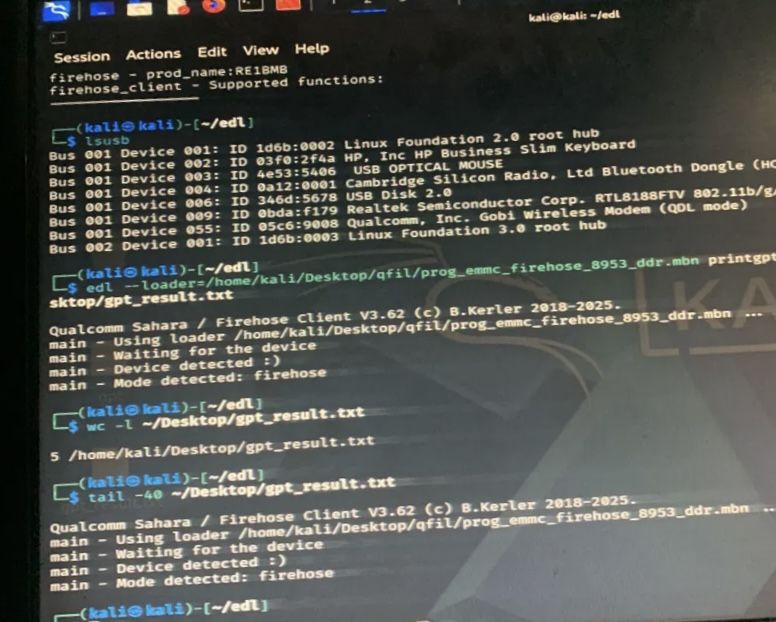
05c6:9008 Qualcomm, Inc. Gobi Wireless Modem (QDL mode). The device ID 05c6:9008 is what matters — the description text varies.If you do not have this, nothing further will work. No firmware package, no flash tool, no paid unlock service fixes a connection that does not exist. Get this line first.
Getting the device into EDL
Most devices need a button combination while you connect the cable. There is no universal one, but these cover most hardware:
- Volume up and volume down together, held while plugging in USB — works on a large share of devices
- Volume up alone, held while connecting — some devices only respond to this
- Volume down plus power — the usual Xiaomi combination
- From a booting device:
adb reboot edlif you still have a working system with USB debugging enabled
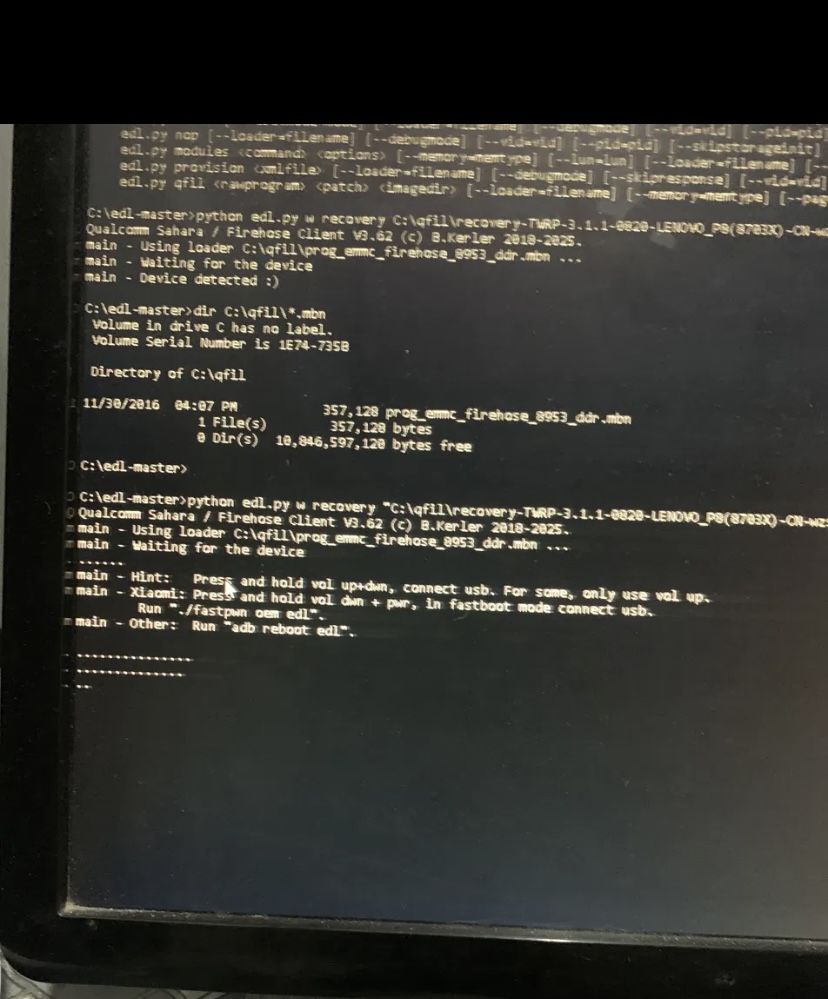
edl tool prints these hints while it waits. Handy reference if you are not sure which combination your device wants.Nothing appears on the device screen when EDL is entered. It stays black. The only confirmation you get is on the PC side, which is exactly why so many people assume it did not work and give up.
Windows: what usually goes wrong
Driver signature enforcement
Qualcomm 9008 drivers are frequently unsigned or signed in a way modern Windows rejects. The install appears to succeed and the device still shows as unknown. You need to disable driver signature enforcement before installing them: hold Shift while clicking Restart, then Troubleshoot, Advanced options, Startup Settings, Restart, and pick option 7.
The device shows briefly and vanishes
Usually one of three things: a charge-only cable with no data lines, a USB 3.0 port, or a device dropping off mid-handshake. Swap to a known-good cable and a USB 2.0 port directly on the machine before assuming anything worse.
libusb refuses to work
If you use the open-source edl tool on Windows, you may hit this even after installing drivers with Zadig:
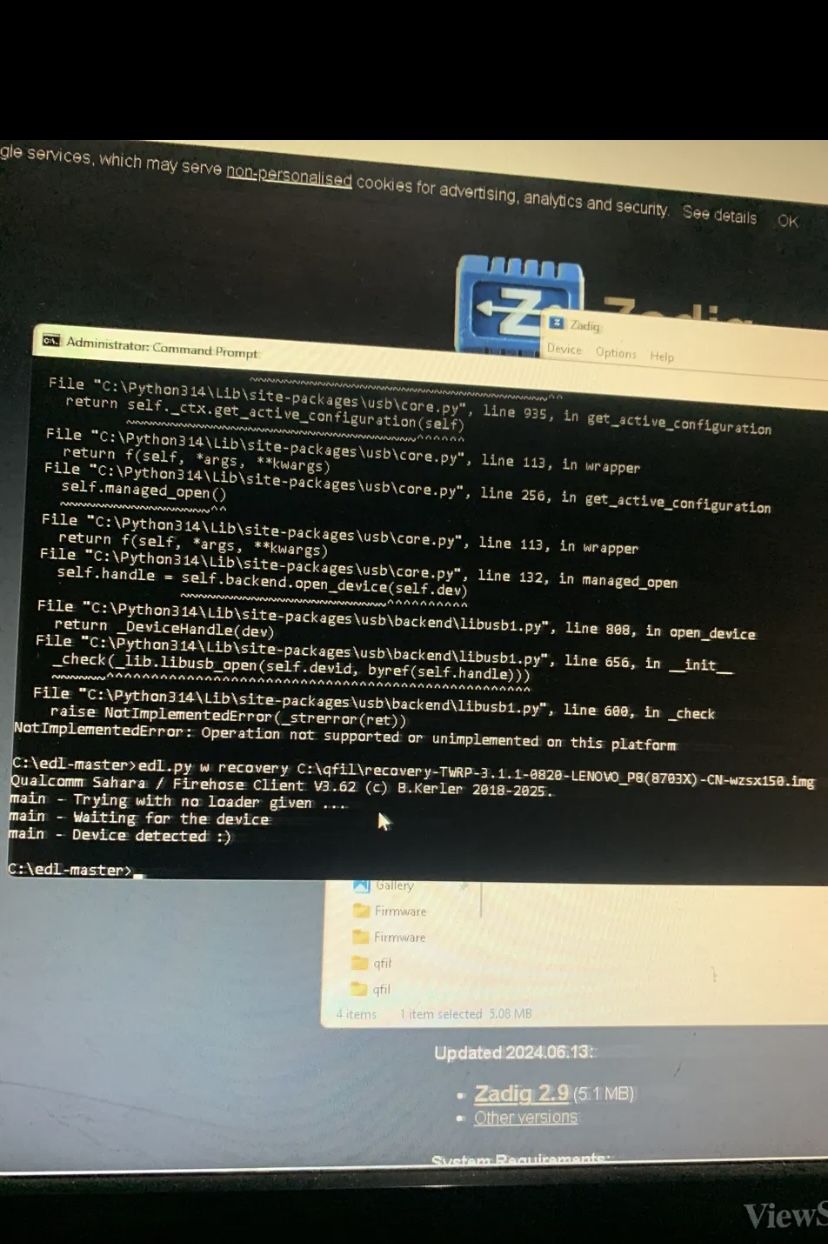
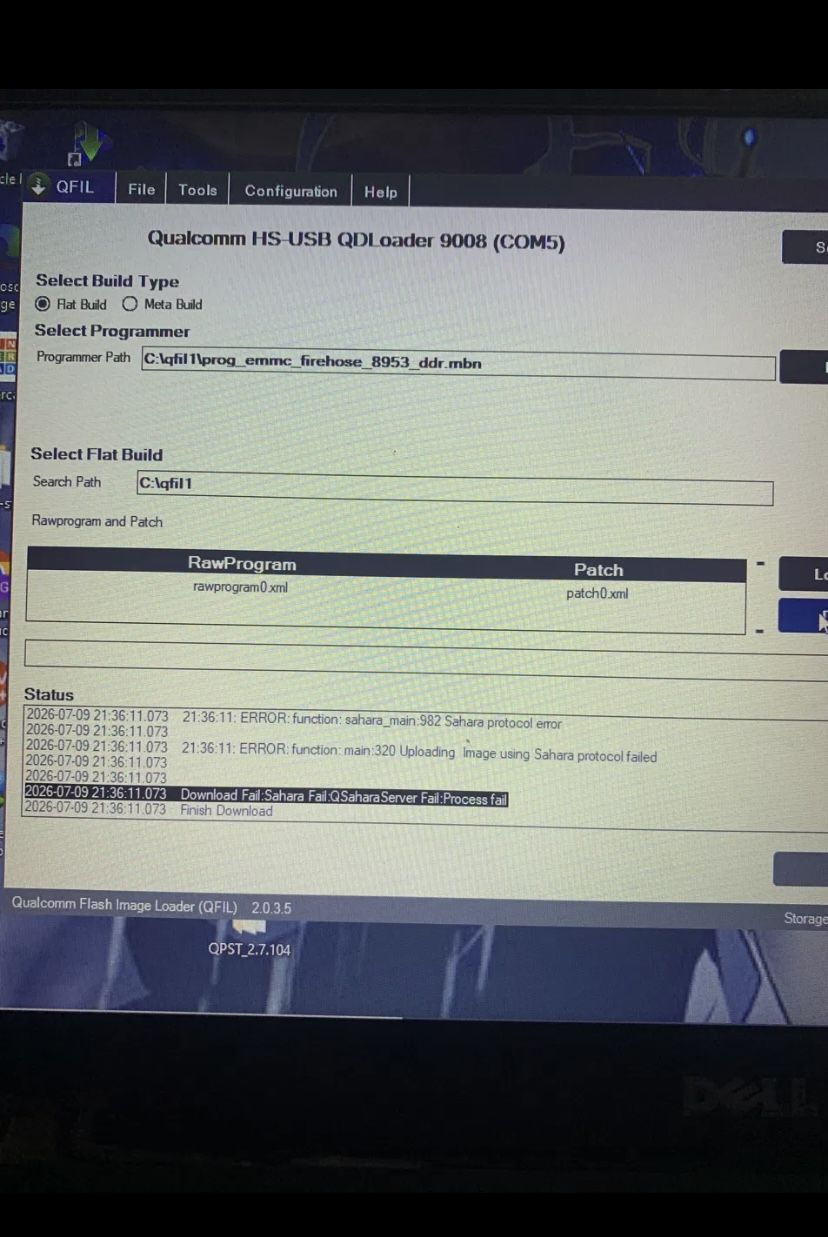
NotImplementedError: Operation not supported or unimplemented on this platform. The device is detected, then libusb cannot open it. This is a Windows-specific limitation, not a fault with your device.Notice the pattern: the device was detected in every one of these cases. Detection is not the same as a usable connection. The handshake is where things break, and that is what Sahara errors are really reporting.
Linux: usually easier, with one catch
Linux has no driver signing complications and no vendor driver package to install. Devices that Windows refuses to talk to often enumerate immediately.
Install the tools you need:
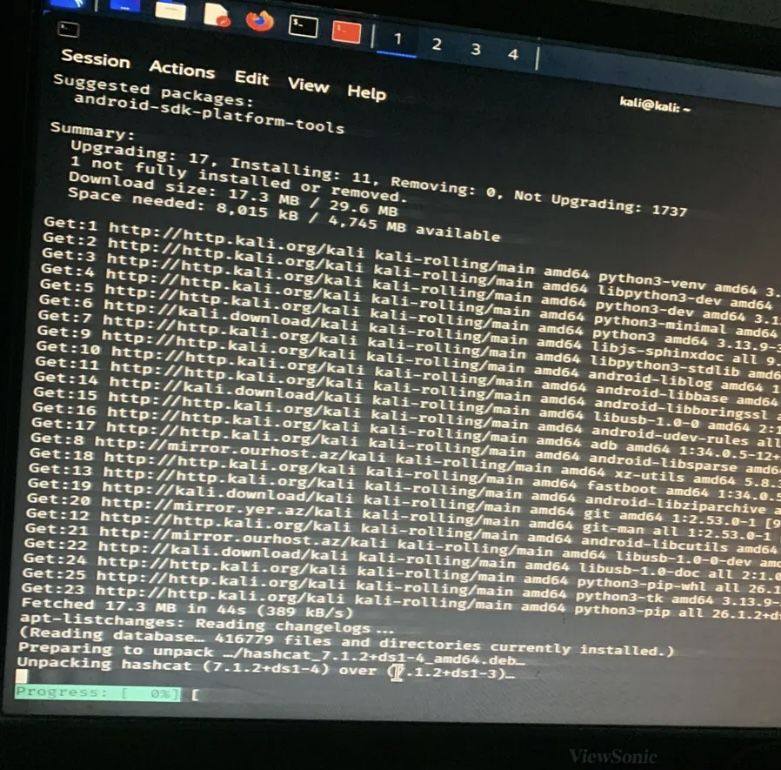
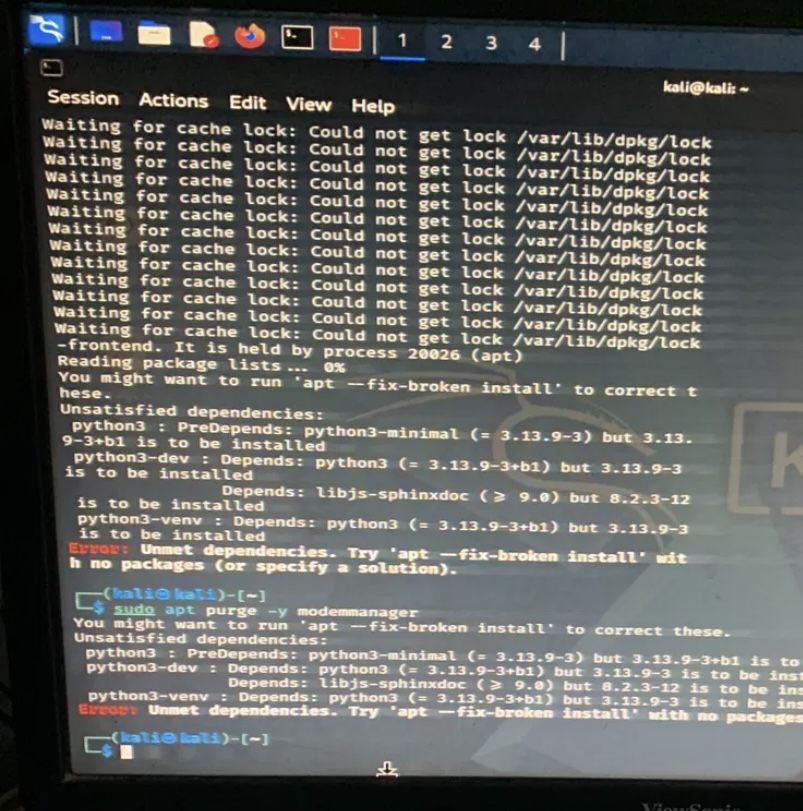
adb, fastboot, python3-dev and the libusb development packages. On a live USB, expect this to pull a fair amount down.On a live USB you may run into apt errors before you get that far — conflicting distribution warnings, or a dpkg process that was interrupted:
sudo dpkg --configure -a clears the interrupted state; the conflicting-distribution warning is usually harmless if the install still proceeds.The catch: ModemManager
This is the one Linux-specific trap, and it is a good one to know about. ModemManager watches for serial devices appearing and immediately tries to talk to them, assuming they are modems. A Qualcomm 9008 port looks exactly like something it should grab.
The result is a port that exists but will not respond to your flash tool, because something else already has it. Remove ModemManager before doing EDL work:
Could not get lock /var/lib/dpkg/lock, another apt process is running — wait for it to finish rather than killing it.Confirming the connection actually works
Detection is not proof. The real test is whether the device accepts the firehose loader:
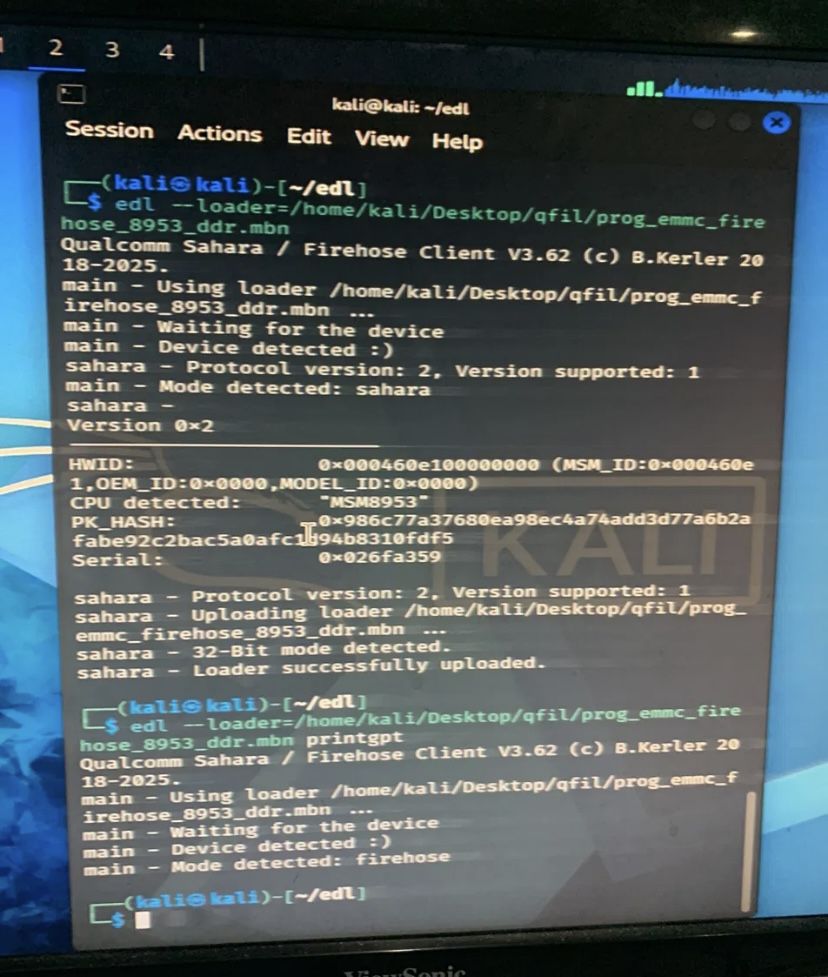
Loader successfully uploaded. Run the tool again and it should report Mode detected: firehose.Once firehose is running, read something harmless off the device to confirm the connection holds under actual use:
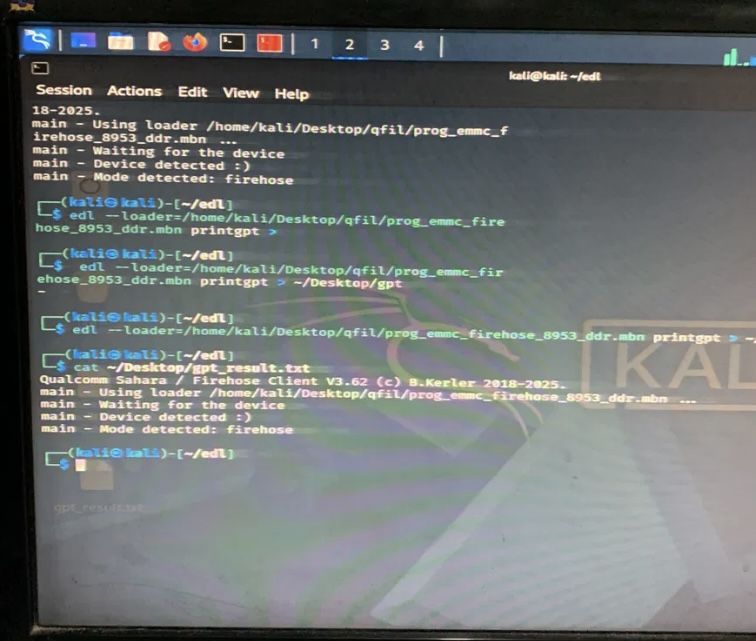
printgpt. If this completes, your connection is genuinely stable — and you now have a record of the partition layout, which is worth keeping.That partition table is worth saving before you flash anything. If a flash goes wrong, knowing the original layout is the difference between a targeted fix and a blind reflash.
Quick diagnostic order
- Does anything appear when you connect? No — check cable, port, and button combination before anything else.
- Does it appear as 9008? Appears as unknown device — driver problem on Windows.
- Does it stay connected? Drops in and out — cable, USB 3.0 port, or hub.
- Does the loader upload? Fails at Sahara — handshake problem. Try a different tool, or move to Linux, before touching your firmware files.
- Does printgpt complete? If yes, your connection is solid and any remaining failure is genuinely about firmware.
Step 4 is where most people lose the most time. A Sahara error looks like a firmware error and is not one. I bought a firmware package trying to solve a handshake problem — the full story is in the TB-8703N hard brick guide.
Frequently asked questions
- Do I need a paid box tool for EDL work?
- No. QFIL is free from Qualcomm, and the open-source
edltool covers a lot of ground. Paid tools bundle drivers and their own loader handling, which sometimes succeeds where QFIL stalls — but that is convenience, not capability you cannot get otherwise. - My device shows as 900E instead of 9008. Is that wrong?
- It is a different composition — related, but not the state most flash tools expect. Re-enter EDL with the correct button combination and check the drivers.
- Is Linux really better for this?
- For EDL work specifically, often yes. No driver signing, no vendor driver package. The one thing to handle is ModemManager, and that is a single command.
- Can I do this from a live USB without installing Linux?
- Yes. A live USB is enough. Expect some apt friction as shown above, and remember nothing persists after reboot unless you set up persistence.
- Does a USB hub really matter?
- Yes. Hubs add timing variability that EDL transfers do not tolerate well. Connect directly to the machine.
Stuck at the detection stage? Tell me your device model and exactly what Device Manager or lsusb shows. Those two details identify the problem faster than anything else.